Bible Search Result Information and Statistics
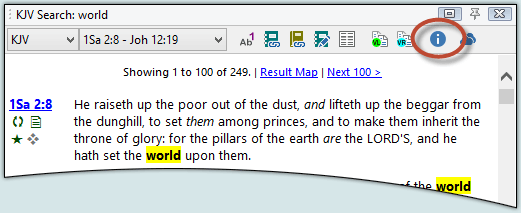
When Bible search results are displayed in a Verse List Panel, additional details about the results can be viewed by clicking the Information button in the Verse List toolbar:
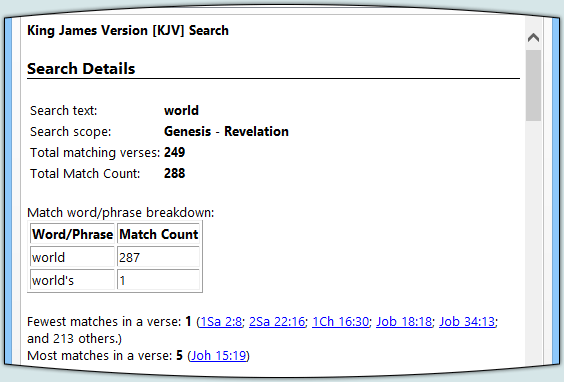
The first section includes a breakdown of the search text, showing details about the matched words and/or phrases, including fewest matches in a verse, most matches in a verse, total match count, and verse count:
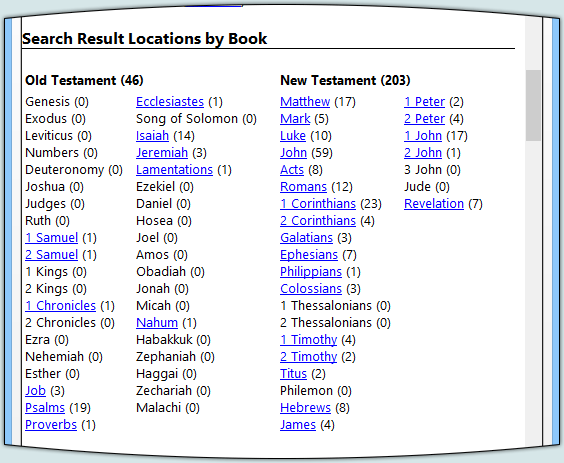
Next is a "result map" listing all books of the Bible and how many verses in each book matched in the search. You can click the book name to jump to the matches in that book (shown in the Verse List):
Next are several bar graphs which provide a visual indication of the resulting verses relative to the rest of the Bible. Again, clicking the book name jumps to the matches for that book:
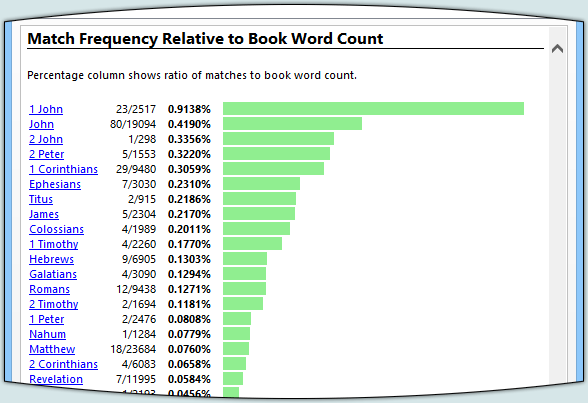
Note in the above example that even though there are more occurrences of the word "world" in the book of John (80) than in the book of 1st John (23), the relative frequency of the word "world" is much higher in 1st John. Often, information like this will lead to a deeper study as you discover which books focus more on certain topics.
Graphs included:
- Verse Match Count by Book
- Verse Match Count, Relative to Book Verse Count
- Match Frequency by Book
- Match Frequency, Relative to Book Word Count
Back to the Features and Screenshots index | Verse List Panel
