StudyClick™ — Streamlined Bible study lookups and previews
In SwordSearcher, almost any word on the screen can be instantly turned into a clickable link. All you need to do is hold the CTRL key as you move the mouse pointer over the words. We call this StudyClick. Once you start using StudyClick you will find that it saves a lot of time, reducing the amount of typing or clicking you need to do to accomplish searches or lookups.
StudyClick lets you instantly do any of the following with a word with no typing:
- Search the Bible for the word you point at, and see a preview pop-up of the first and last use of that word in the Bible.
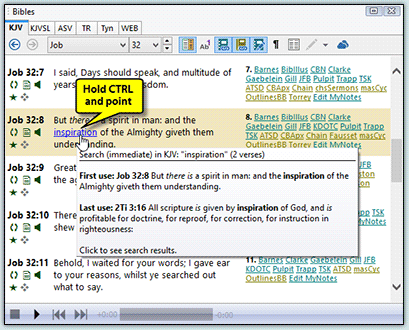
- Open the Topic Guide for the word you point at.
- Open the closest matching word in your favorite Bible dictionary, such as the Webster's 1828, and see a preview-popup of the definition.
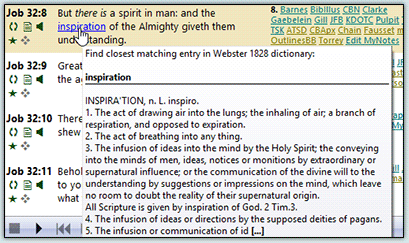
- Do a full-library search for the word you point at, across the entire library in SwordSearcher.
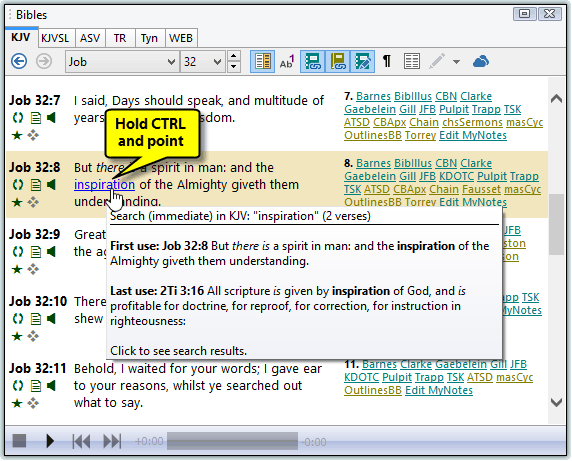

StudyClick is easily customized to suit your own needs during Bible study. You get to choose what happens when you hold CTRL and click a word, and you can also assign an additional action for when you hold CTRL+ALT at the same time for even more flexibility in your study-flow.

Video: StudyClick
3:44
Back to the Features and Screenshots index | Next: Bible Word Cloud Generator
