The Topic and Verse Guide tool incorporates the functions of a Verse Guide panel, and adds the ability to create a dynamic index of all Books and Dictionaries for a given topic.
To open the Topic and Verse Guide, select Topic and Verse Guide from the Search menu, or press Alt+T, or click the Topic Guide button on the Search toolbar.
The Topic and Verse Guide remains floating above the main window until you are finished using it and click Close.
Using the Guide as a Topical Index
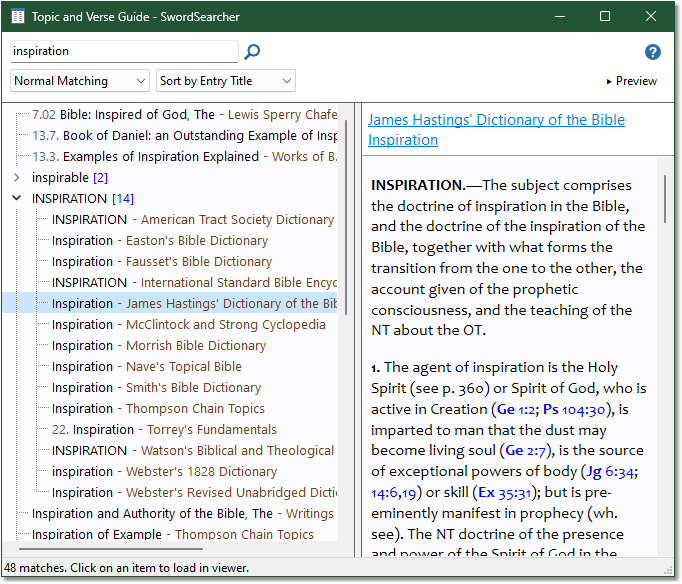
Entering a topic and clicking Search (or pressing Enter) loads a list of library modules with that topic. The above example shows a topic guide for inspiration. Any entry that has a title containing the word is included in the index.
The Matching option controls how strict topic matching is. There are three levels: strict, normal, and loose. Normal matching will almost always yield the best results.
The Sort book entries by option changes how results from books are organized in the list. Selecting Entry Title organizes all book results by entry title, and groups multiple books with same-title entries together (as in the above sample under INSPIRATION). Selecting Book Title organizes results by book module.
The Topic Guide is restricted to indexing titles of entries. While this is typically sufficient for locating material on a topic, a Full Library Search can be performed to search the actual content of each library resource for a given word or phrase if more reference material is required.
Tip: Right-click an item in the Topic Guide and select Open in Clone Panel if you'd like to examine the content without changing your active Commentary or Book panel entry.
Using the Guide as a Verse Reference Index
The Topic and Verse Guide also incorporates the functionality of a Verse Guide panel, giving you an exhaustive index of verse references across the entire library.
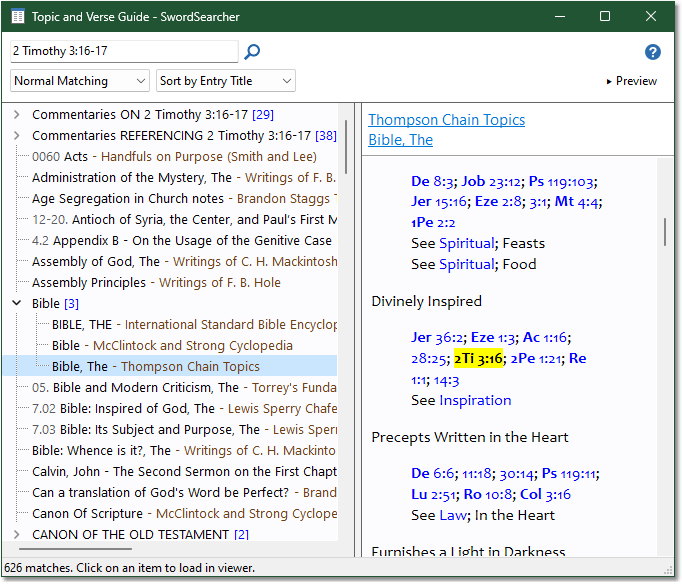
Entering a verse reference or range of verses (as in this example of 2Ti 3:16-17) loads a list of all library material that reference the verse(s). Clicking an item in the list will load it in the appropriate panel of the main window, with the relevant references highlighted.
For more details on Verse Guides, see the Verse Guide panel topic.
Preview Mode
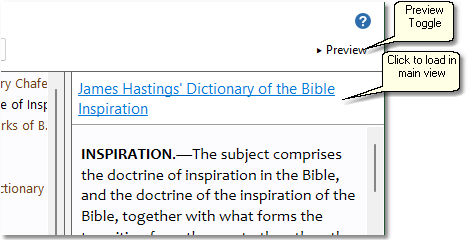
The top-right button with the caption Preview toggles the preview panel on and off. When the preview panel is visible, clicking an item in the left list will instantly show the content of that item in the preview panel without changing anything in your main window. If you wish to move the main book or commentary panel to that item, just click the title. Preview mode is helpful when you want to review material without changing your current visible study material.
When the preview mode is disabled, clicking an item in the list will load it in the appropriate panel of the main window.