The Preferences Dialog is where many of SwordSearcher's settings can be changed to suit your personal tastes, such as fonts, colors, etc.
To access the Preferences Dialog, select Preferences from the File menu.
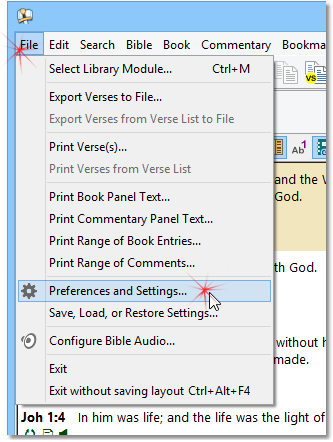
Opening the Preferences Dialog
The Preferences Dialog has several pages:
•Library Tabs
•Bible and Verse List Panels
Saving and Loading Settings
Select the Save, Load, or Restore Settings option on the File menu to save or load settings to a portable file. The settings file can be used on another computer or as a backup to load your preferences such as Module Sets, Fonts and Colors, custom Bible book abbreviations, etc. Also, SwordSearcher keeps a history of your settings as backups in case you accidentally delete something important such as a Module Set.