There are many ways of studying a passage in SwordSearcher. For this quick how-to, we'll examine doing so by just typing in a verse reference.
To start studying a verse and see what details the library has to offer, click the Go To Verse and Search toolbar text area (or press F6) and enter a verse reference:
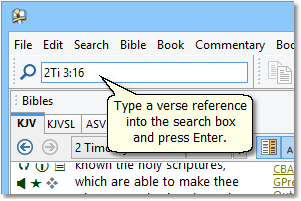
This is a sample image of the Go To Verse and Search box from the SwordSearcher main window.
For this example, we'll type 2Ti 3:16. SwordSearcher understands many different ways of specifying a verse. We could just as easily type 2nd Timothy 3.16, or even 2Tim iii. 16. Use what works best for you. After pressing the Enter key, three things happen right away:
1. The Bible panel is set to 2nd Timothy, chapter 3, verse 16:
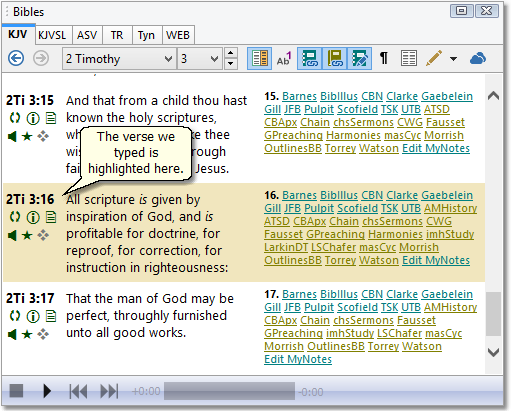
This is a sample image of the Bible panel from the SwordSearcher main window, set to 2nd Timothy 3:16.
2. A Verse Guide is opened for the same verse:
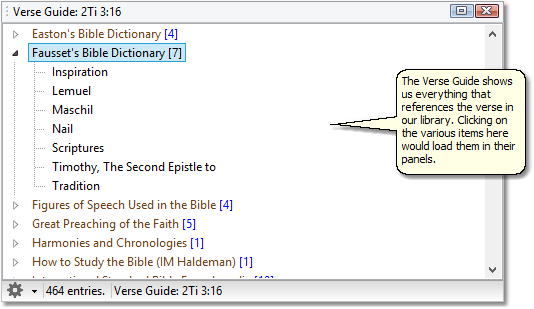
This is a sample image of a Verse Guide for our selected verse.
3. Finally, the Commentary panel is also set to the selected verse:
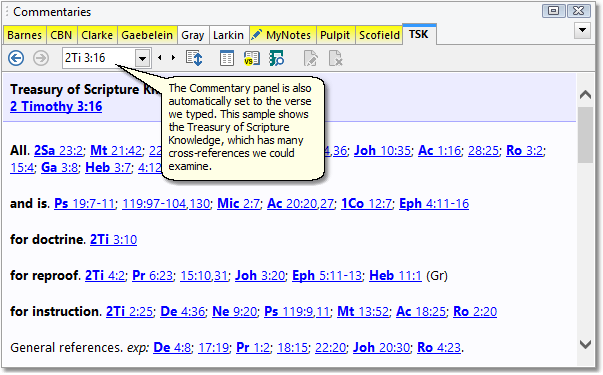
This is a sample image of the Commentary panel from the SwordSearcher main window, set to our verse.
As you can see, the Go To Verse and Search toolbar is a great way to start studying a verse. There are many other ways to navigate to a verse, of course. Explore SwordSearcher for more!
Related topics: