Revision History of SwordSearcher
This is a detailed list of changes and updates in each version of SwordSearcher in reverse order. Items marked "library additions" or "new modules" are library modules added to the Deluxe study library and are only available from a full installation. See the upgrade page for information on upgrading SwordSearcher.
Version 10.0
New modules:
- Hymns and Spiritual Songs [ssHymns] — A collection of nearly 1,500 hymns from the 18th and 19th centuries, sourced from the New Baptist Hymnal (1926), The Baptist Hymnal (1883), Gospel Hymns Nos. 1 to 6 (1894), and The Modern Hymnal (1926). Includes classic works by Isaac Watts, Charles Wesley, Fanny Crosby, John Newton, and many others. Each hymn includes full lyrics with numbered stanzas, author attribution, and scripture references linking hymn themes to specific Bible passages. Scripture references are integrated with SwordSearcher's cross-referencing system, allowing you to discover related hymns while studying any passage. (Note: this SwordSearcher module is text only. It does not include music.)
- Benson's Commentary on the Old and New Testaments [Benson] — by Rev. Joseph Benson (1749–1821), published 1857. This commentary once served as the official commentary of the Methodist church.
- Hamilton Smith's Expository Bible Commentary [HSmith] — Hamilton Smith (1862–1943) was an English expositor associated with the Plymouth Brethren movement, known for his devotional depth and clarity. This commentary is compiled from his various published works, including verse-by-verse expositions of the epistles (Ephesians, Hebrews, 1 & 2 Corinthians, Philippians, 1 & 2 Timothy, 1 & 2 Peter, James, Jude, 1–3 John, Galatians, 1 Thessalonians), the Psalms, Daniel, Revelation, the Gospel of Mark, and Old Testament character studies (Abraham, Joseph, Elijah, Elisha, Samuel), along with over fifty topical and devotional papers. Coverage spans 56 of 66 Bible books.
- William Kelly's Bible Commentary [WKelly] — William Kelly (1821–1906) was one of the most prolific Bible expositors associated with the Plymouth Brethren movement. A close associate of J.N. Darby, Kelly edited Darby's collected writings and produced his own extensive body of work spanning nearly the entire Bible. This commentary is compiled from Kelly's published lectures and expository notes. The Old Testament material is drawn from lectures delivered to audiences and later published, giving it a conversational and accessible character.
Natural Language Bible Search:

Video demonstration
- Search the Bible using natural language queries and questions. This is a semantic search system that finds verses by meaning, not just keywords. Searches are completely private and never leave your computer.
- Search for words, ideas, and concepts. Examples:
- help in hard times
- comfort for those who are grieving
- instructions to husbands and wives
- God cares for me more than the birds
- Also useful when you vaguely recall a verse from memory and want to find it.
- Results are ranked by relevance, with the best matches shown first.
- Exact word matches automatically boost verse rankings in the results.
- Dedicated "Find Verses About" search window for natural language and question-style Bible searches. Access it from the Search menu (Find Verses About...) or Ctrl+Alt+F2.
- Verse matches auto-update as you type.
- Load results into a full verse list panel for deeper study.
- Available as a StudyClick option: Ctrl+click on text in Bible or resource panels to search for that text. (File, Preferences, StudyClick.)
- New search option in the main search bar: "Help me find verses about:"
- Smart detection of natural language queries — typing phrases like "verses about forgiveness" or "find passages about love" automatically selects natural language search as the default action.
- "Normal Search" is now referred to as "Keyword Search" to clarify the distinction from natural language searching.
Text-to-Speech:
- Built-in text-to-speech reads aloud the contents of any panel. Each panel has a speaker button to start playback, or use the right-click menu.
- Pop-up control window appears during playback with play/pause toggle, volume control, and speed control.
- Verse-level highlighting and auto-scrolling during playback in Bible and Verse List panels.
- Paragraph-level highlighting and scrolling in Commentary and Book panels.
- "Read aloud from here" on right-click menus: starts on the right-clicked verse (Bible/Verse List) or paragraph (Book/Commentary).
- If text is selected, playback starts from the selected text. Ctrl+click the TTS toolbar button to play only the selected text.
- Supports all voices installed in Windows Settings (Time and Language > Speech), including Microsoft Mark and additional language voices. ("Narrator" voices are not supported.)
- Verse Widgets for Play Verse work with TTS if no Audio Bible is configured.
- TTS and Audio Bible configuration combined into a single window (File menu, Configure Audio).
- Audio-related commands collected under a single "Audio" submenu on right-click menus.
Find Similar Verses:
- "Find Related Verses" has been renamed to "Find Similar Verses."
- New "By Similarity" tab uses semantic search to find similar verses, in addition to the existing keyword-based search method.
Verse Widgets:
- Verse widgets are now drawn with Segoe UI Symbol for a cleaner, more modern appearance.
- Custom favorite commentary widgets: choose from a widget picker or use the Windows emoji picker for thousands of options. (File, Preferences, Bible, Verse Widgets.)
Visual improvements:
- Rounded corners for docking panels.
- Improved dark mode window borders and main menu on Windows 11.
- Fixed dark mode menu bar scaling on systems with multiple monitors at different scaling levels.
- Support for ultra-high DPI scaling above 225% with correctly-sized toolbar button images.
- Undocked panels now always behave as full top-level windows (minimize, maximize, taskbar, Alt+Tab).
- Faster response when moving the main window between monitors with different scaling.
Other enhancements:
- Quick Concordance automatically selects the search text when the window is activated or Enter is pressed.
- Pressing F2 when the Search Bible window is visible rotates through the search tabs, and the text entry box is automatically selected.
- Verse lists not in canonical order now show generic page numbers instead of out-of-order verse references in the page selector.
- URL support for Natural Language Search: swordsearcher://fva/query or swordsearcher://nls/query
Version 9.1
New modules:
- James Hastings' Great Texts of the Bible (commentary) [jhTexts], 1910-1914. A 20 volume work of extensive topical and expository content.
- Lange's Commentary on the Holy Scriptures [Lange], 1871-1899. A 63 volume commentary translated into English under the supervision of Philip Schaff. This commentary is presented in a "chapter-based" format to preserve the flow and intent of the author.
Enhanced Topic and Verse Guide:
- Added new preview pane to the Topic and Verse Guide. This is a big time-saver and study-flow efficiency enhancement!
- The preview pane shows the content of items as you click on them in the results, without having to change your positions and navigation history in the main Commentary and Book panels.
- The preview pane can be toggled on or off and this setting is remembered between sessions.
- If the preview pane is visible, double-clicking an item will cause it to load in the main viewer, or you can click the heading in the preview pane. (Ctrl+Click will open the entry in a clone panel.)
Other enhancements:
- Added "Line Height" setting to Preferences, Fonts and Colors. This allows for fine-tuning the text density in the Bible, Book, and Commentary panels. This setting replaces the old "Optimize line height for touch" setting.
- Added keyboard shortcuts for rotating tabs. Ctrl+Alt+Left and Ctrl+Alt+Right. Using this when a Bible, Book, or Commentary panel is focused will rotate through relevant open tabs in the panel.
- Added "Open in Topic Guide" button to Verse Guide Panel.
- Improved initial start-up time.
- Reduced memory and resource consumption.
Fixes:
- Fixed a potential crash in the Topic Guide after deleting a user module.
- fixed a rare condition where a crash could occur when closing a panel or the application before the text was finished loading.
- fixed: clicking a link in a clone panel that was not active/focused would sometimes ignore the link click until it was clicked a second time.
- fixed Clear Bookmark function not updating bookmark menu captions immediately.
- fixed right-click menu of Image Viewer tree (left panel) not appearing
- fixed: disabling all toolbars and then restarting causes the empty space for the toolbar to show.
- Other stability improvements and minor bug fixes.
Included from previous hotfix releases:
- Added audio Bible timing support for the latest 128kb and 192kb voice-only Scourby.com mp3 files (2021).
- Added audio Bible timing support for an Max McLean Listener's Bible from christianaudio
- Fixed a potential crash when importing invalid reading plan templates.
- Fixed a crash that could happen when changing color modes from the main View menu.
- Fixed possible error condition when trying to clone a user book panel from an empty user book
- Fixed possible error when setting active verse or currently narrated verse visual style (background color)
- Fixed possible error when saving user module
- Fixed bookmarks and clone panels not always properly restoring scroll position on systems using a comma as a decimal separator
- Fixed an issue with verse autopaste (Ctrl+Alt+V)
- Fixed: if a bookmark was set from the main Bookmarks menu (invoking dialog), the bookmark menu item caption wouldn't update until the next time SwordSearcher was started.
- Fixed mouse wheel not scrolling tree view in Images viewer
- Fixed clone panel content links sometimes not resolving to the correct module.
- Fixed: in the editor, a manually created href link could cause the program to freeze when switching to the code editor if it was missing a closing quotation mark.
- Fixed: Minor UI issues
- Other minor enhancements.
Version 9.0
New modules:
- The Works of B. H. Carroll [CarrollWks], 14 volume set. A single module with 14 books containing works of Benajah Harvey Carroll, First President of Southwestern Baptist Theological Seminary.
- Jamieson-Fausset-Brown Commentary Unabridged [JFBu], 3-volume edition of the JFB commentary with about twice as much content as the single-volume edition that is in the JFB module. (Note this new module is JFBu, and the previous JFB module is still included.) Most of the additional (unabridged) content is in the Old Testament.
Dark mode interface option added!
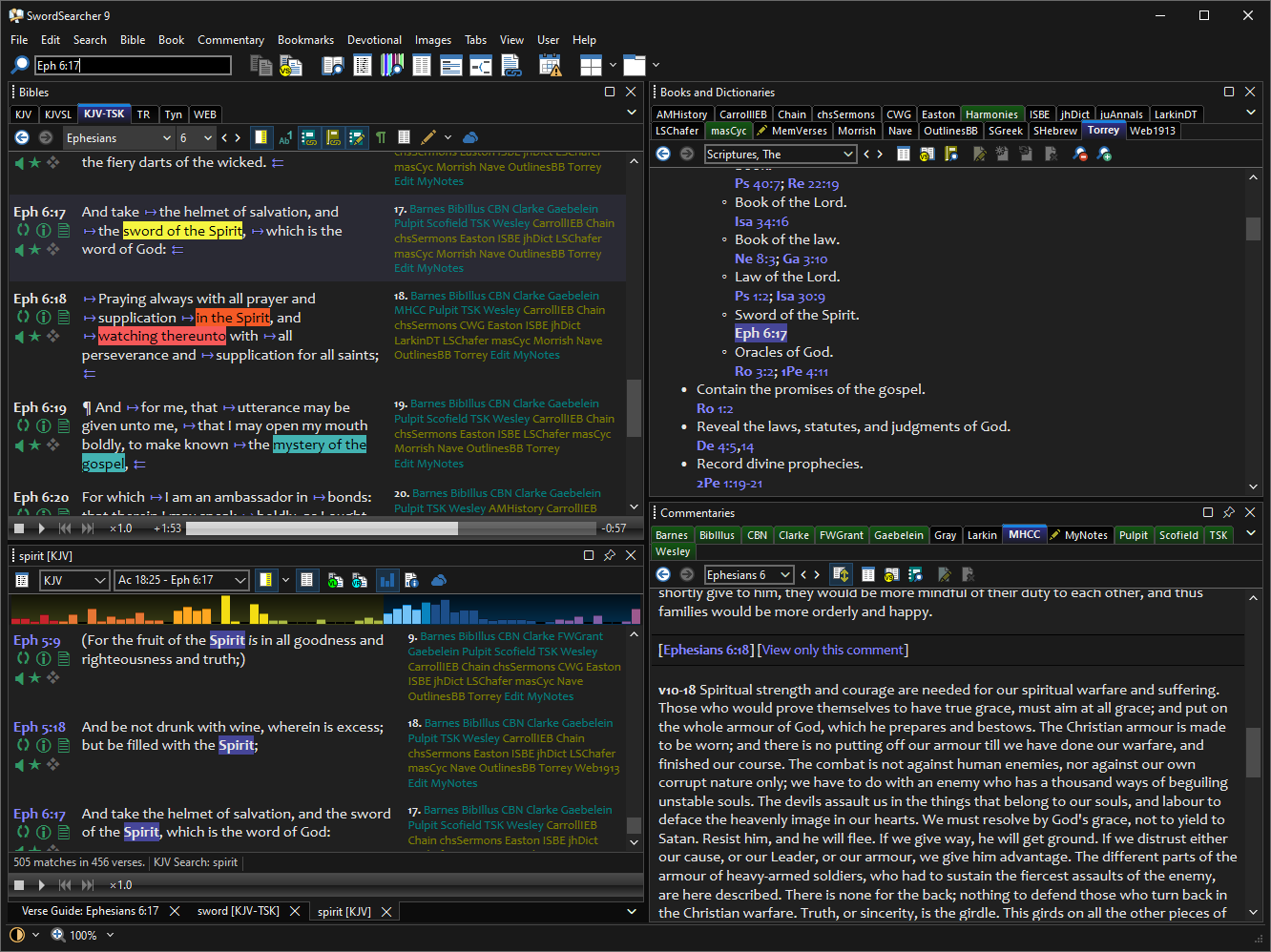
- With a click of one button, you can switch between light and dark color modes.
- The new dark mode has been requested by many SwordSearcher users and is a big help in reducing certain kinds of eye strain or when using SwordSearcher in a dark environment.
- Your personal color settings for text and text backgrounds are maintained on a per-color-mode basis, so you can easily switch between light and dark modes, using your preferred colors for each setting on the fly.
- To go along with the new dark mode, the Word Cloud Generator and Word Trees tools have a new color theme option: River. This new color option works in either light or dark mode but is especially well-suited for dark mode.
- More information and demonstration.
New layout system functionality based on user requests:
- The layout/docking system has had some core parts of it redesigned so that sizing and docking layout panels requires a lot less "hand holding" by the user. Making custom layouts and moving panels around is now more intuitive and faster.
- Resizing SwordSearcher will proportionally resize all of the panels inside.
- For custom layouts, when re-docking panels to new locations, the "sibling" panels are all evenly divided inside the container automatically. They can then be sized manually if desired.
- All of your previously configured custom layouts will continue to work with the new system!
Windows 11 support.
- Several windows, menus, and controls have been updated so that they work properly in Microsoft Windows 11. (Windows 8 and 10 are still supported, too!)
- Enhanced support for the new Windows 11 window snapping system.
Improved windowing system for SwordSearcher tool windows:
- Top-level windows like the Topic Guide, Passage Analyses Tool, English-Strong's Indexer, etc., now appear along with SwordSearcher's main icon on the task bar, and participate in Windows task-switching when they are open.
- You can use Alt+Tab to switch between open SwordSearcher tool windows along with other applications in Windows.
- All SwordSearcher top-level tool windows can be "snapped" to the sides of monitors, etc. This works in Windows 10 Snap Assist, and especially well with the new Windows 11 Snap functionality accessible from the maximize icon on these windows.
New Clone Panel windowing:
- The previous Clone Panel system (for creating new Bible, Book, and Commentary text displays) has been extended to use top-level windows that participate in Alt+Tab task switching and the Windows Snap functionality, and can be maximized or minimized.
- Although these clone panels are not "dockable" panels, the previous clone panel system with dockable panels can be selected if you prefer that. The setting is in File, Preferences, Layout Options.
Other improvements:
- Added "Open in clone Bible panel" option to the main search box, when entering a verse reference. This makes it very easy to open a new verse in a separate Bible panel (without changing the active Bible verse) and view its entire chapter context.
- Added "Open in clone panel" right-click option in the Topic and Verse Guides. This way you can open a book or commentary entry in a new window without changing your active book or commentary panel.
- The Verse Auto-Paste feature, which is invoked with Ctrl+Alt+V when using a different application, no longer forces SwordSearcher to become the top-most window. Many users requested this to make inserting verses into other applications more seamless.
- Bible highlighting improvements:
- Improved legibility of red-letter text over highlights.
- Underlines and background highlights are now contrasted with space between them.
- Highlight colors are automatically dimmed in dark mode so that they are not overpowering.
- Fixed certain Windows settings causing text display in SwordSearcher to ignore user color options.
- Printing text panel content no longer includes the primary background color in the output.
- Bible panels reload much faster and with less "flicker" after applying a highlight or saving a user entry edit.
- Fixed some issues with windows staying on top of other applications when SwordSearcher is not the active application.
- The integrated help system has been modernized to make it easier to read and use.
- Improved back/forward navigation for Bible, Book, and Commentary panels to better maintain the scroll position of the text.
- Significant speed improvements for resizing panels with a large number of open library tabs.
- Improved search result panel captions to be more concise (so their tabs take up less space).
- Library tabs in "single row" display mode can be scrolled with the mouse wheel.
- Several "look and feel" improvements with controls like scroll bars and various buttons to improve consistency and give a more aesthetically cohesive experience.
- Many more usability enhancements and bug fixes.
Version 8.4
New Modules:
- William Godbey's Commentary on the New Testament [Commentary module: Godbey] (7 vols, 1910)
- Joseph Parker's People's Bible Commentary [Commentary module: Parker] (27 vols, 1886-1898)
New Quick Concordance Tool:
- A convenient new way to perform quick, "on-the-side" Bible searches without opening new verse list panels.
- Floating tool window supporting an unlimited number of search tabs.
- Instantaneous results display in the classic concordance layout as you type your searches, making it super-easy to get word and verse counts, without disrupting your current study flow.
- Load a normal Verse List search result panel with one click, when you need it.
- The Quick Concordance supports virtually all of the unrivaled Bible searching power you've already come to expect from SwordSearcher. (Multiple word forms, Advanced Search Expressions, etc.)
- Added Quick Concordance options to StudyClick settings.
- Drag text into the Quick Concordance to open a new concordance tab and see instant results.
- Offers word suggestion when you need it (spelling correction, etc).
Enhanced English-Strong's Indexer:
- SwordSearcher's analytical concordance tool, known as the English-Strong's Indexer (aka ESI), has been redesigned and expanded.
- The ESI can now work on small phrases and Advanced Search Expressions; it is no longer limited to using a single word only.
- By default, the ESI now includes multiple word forms in its matching.
- To make the ESI more powerful as an analytical concordance, it now accepts Strong's numbers as well as English text.
- Each line in the ESI includes a pop-up menu control to load different searches as verse lists.
- Added a new scope control to give more granularity over the search range, so that it is now possible to initialize the analytical concordance based on any size verse range or ranges you wish.
- The search result capacity of the ESI has been significantly increased to the point where no practical use of the analytical concordance would exceed the number of results that can be displayed.
- Added settings in the ESI tool to control the output of the search results.
- Layout improvements to free up vertical space for more content in the window.
- Several internal improvements to the ESI search code give improved results, and italicized words are no longer omitted from the ESI.
- The Strong's lexicon book modules now include convenience links to loading the ESI from each Strong's number definition.
Other improvements:
- The Bible panel book and chapter menus have been enhanced. Selecting a new book from the book menu will automatically invoke the chapter menu selection, since the most common action after changing the book is to select a chapter. This minor change creates a significant usability improvement for people who use the selection menus to navigate the Bible (rather than manually typing verses).
- Ctrl+Click on Full Library Search result links honors the StudyClick clone panel setting. (So, by default, if you hold the CTRL key while clicking a link in the search results, the content will open in a new clone panel.)
- Ctrl+Click Topic Guide or Verse Guide honors the StudyClick clone panel setting. (So, by default, if you hold the CTRL key while clicking a node in the list, the content will open in a new clone panel.)
- Redesigned the "rename entry" window for renaming user book entries.
- Added additional Advanced Search Expression tokens related to Strong's number tagging. (See documentation for details.)
- Layout improvements to the Topic and Verse Guide window to free up vertical space for more content.
- More consistent application of the default font specified in Preferences.
- Improved some Strong's number tagging in the KJVSL.
- Improved the Search Results Information and Statistics detail window for certain edge-case searches, and better break-down display of Strong's number searches.
- Improved parsing of Boolean expressions in searches.
- Improved visual performance of the Word Tree tool.
- Verse List bar graph now allows clicks on books that have no matches. Doing this will bring the closest match position into view, so the bar graph can more easily be used to quickly navigate the results, without having to precisely click on a bar with results.
- After clicking the tab control in the Book or Commentary panel, the entry selector gets keyboard focus. This is a change from prior behavior where the focus remained on whatever control had it before the click.
Fixes:
- Fixed an issue on older computers that could cause a crash when the compare Bible module was changed before a chapter was finished loading.
- Fixed a crash when trying to print an image with no printer available.
- Fixed: Tool windows that were still open when SwordSearcher was closed would not update their positions for the next session.
- Fixed some tool windows not updating their colors/fonts immediately after preferences changes.
- Fixed an issue with undocked panels on high-dpi displays adding unused space in the toolbars.
- Fixed: Clicking a book bar in the search results bar graph wouldn't always scroll to the first verse of the book if the verse display had to change pages to make the verse visible.
- Scan Text for Verse References tool now honors global zoom setting.
- Other fixes and optimizations.
Version 8.3
New Library Modules:
- James Nisbet's Church Pulpit Commentary [Nisbet] (12 Vols, 1908)
- Handfuls on Purpose [Handfuls] (James Smith and Robert Lee, 13 volumes, 1943)
- The Essential Works of A. W. Tozer [AWTozer]
(Nine books from the life and ministry of A. W. Tozer, 1897-1963)
One combined SwordSearcher book module:- Christ, The Eternal Son
- Jesus is Victor
- Jesus, Author of Our Faith
- Jesus, Our Man in Glory
- Knowledge of the Holy
- Man, The Dwelling Place of God
- That Incredible Christian
- The Pursuit of God
- The Root of the Righteous
New and enhanced Audio Bible Support:
- SwordSearcher has supported the integration of an audio Bible for several years, but this functionality has been significantly enhanced for SwordSearcher 8.3.
- The following Audio Bibles are now supported with verse-level synchronization and playback and can be directly played from the Bible panel and Verse List panels:
- Alexander Scourby, KJV, AMG Publishers.
- Alexander Scourby, KJV, Hendrickson Publishers.
- Alexander Scourby, KJV, Scourby.com (non-dramatized mp3 edition only)
- Max McLean's Listener's Bible, KJV, Fellowship for Performing Arts.
- David Cochran Heath, KJV, ChristianAudio.
- Paul Mims, KJV, AudioBible.com.
- Dan Wagner, KJV, Talking Bibles International.
- Faith Comes By Hearing Dramatized KJV.
- Stephen Johnson, KJV, Firefighters.org.
- Note that SwordSearcher does not come with an audio Bible. You may integrate any of the above audio Bibles into SwordSearcher once you have obtained them from their publishers or retailers. Please see the audio Bible page on the website for a complete list of supported audio Bibles and where you can obtain them.
- You may now configure an unlimited number of audio Bibles at the same time. Switching between integrated audio Bibles is easy and done with a simple selection in a list.
- Audio playback speed can be adjusted to make it slower or faster based on listening preference.
- The core audio system has been replaced and updated to work with a wider variety of source audio files.
- Audio Bible configuration/selection is accessible on the main File menu or with Shift+Ctrl+A keyboard shortcut.
Other improvements and fixes:
- Added visual feedback for clicking on a verse widget or margin link.
- Word Trees now remove hyphens from hyphenated words. This allows Word Tree searches and links to work consistently regardless of hyphenation setting in Preferences.
- Verse Guide panel will automatically rebuild its content after saving changes to a user module entry.
- Improved parsing of hard-coded verse reference links in user module entries.
- Fixed issues related to "Remove optional hyphenation" option.
- Fixed some tab display issues that could occur after renaming or deleting user modules.
- Fixed a condition where the user editor would not allow saving until more changes were made after switch to Design mode.
- Fixed incorrect counts and ratios in Bible Search Result Info and Stats for Verse Match Count by Book.
- Fixed: Renaming a user module could orphan its keyboard shortcut.
- Fixed a condition where user module editor Insert Table dialog could get hidden behind the editor.
- Other various minor fixes and optimizations.
Version 8.2
New Modules:
- Joseph Sutcliffe's Commentary on the Old and New Testaments (1835) [Commentary module: Sutcliffe]
- Reviving the Blessed Hope of Thessalonians (by Douglas Stauffer and Andrew Ray, 2016) [Book module: StauRBHT] A book-form commentary on 1st and 2nd Thessalonians. Includes 17 charts.
- When the End Begins (by Douglas Stauffer and Andrew Ray, 2017) [Book module: StauWTEB] A book-form commentary on Matthew chapters 24 and 25. Includes 60 charts.
Major new features:
- Bible Word Trees:
- Bible Word Trees show fascinating connections between words and phrases in the Bible.
- The Word Tree is a visualization tool (like the Word Cloud Generator) designed to help you see Bible search results in a very different way.
- See groupings of the sentences and phrases flowing into and out of a word or phrase across the whole Bible or just chapters or books.
- Connections between words and phrases can suddenly become obvious where they can be hard to spot in a conventional list of verses.
- Fully interactive: "drill into" branches of the word trees to see more detail.
- Fast: interactive is only useful if it is fast and fluid, so a considerable amount of development effort has been invested into the speed and responsiveness of the Word Tree tool. Animations while moving from one active branch to another help you see "where you are going."
- Integrated: load conventional verse lists and search results based on the word trees for further study.
- See dozens of word tree previews for any portion of Scripture, like a chapter or book, to get ideas for additional exploration, or just to get a new birds-eye view of a passage.
- The Bible and Verse List panel right-click menus have Word Tree shortcut options.
- StudyClick can be configured to open a Word Tree.
- Shift+Click on a word in the Bible Word Cloud Generator will open it in a Word Tree.
- Word Trees can also be opened from the main search bar.
- Live verse tagging in the user module entry editor:
- It is no longer necessary to save the text you are editing to see what will be automatically linked as a verse reference.
- As you type, the editor will "live tag" any text that is recognized as a verse reference so you can see immediately what will be linked and it will instantly respond to any changes you make.
- You can hold your mouse pointer over the live tag to see the text in a pop-up preview to verify it is what you intended.
- You can right-click the live tag to load the verse or verses in the main window.
- You can right-click the live tag and select the option to ignore the reference if you do not want it to be linked in the entry.
- Also added a handy keyboard shortcut for power users to insert a "contextual reference" at the caret position (Ctrl+R):
- This inserts the book and chapter from the most recent verse reference recognized up to the caret position.
- If no prior reference was recognized, and the entry is a commentary entry, the book and chapter for the entry being edited is inserted.
- This is just a convenience keyboard shortcut to avoid the need to re-type book and chapter repeatedly when making a series of references broken up by other text.
- Tip: if the inserted book+chapter reference is not what was desired, Ctrl+Z will undo the insert.
- Full-library Search Results display has been redesigned:
- The layout of library search result previews has been improved.
- More previews of matching text inside of entries are visible without taking up much more space.
- Loading match previews from extremely large entries is now much faster.
- Match previews also indicate how many individual matches there are in each entry, in addition to each module, so it is more obvious when an entry has multiple matches beyond what is visible in the preview.
- When a full library search includes Bible modules, the Bible search results from the search can be viewed as a proper Bible search in a verse list panel with a simple click from the match previews.
Other improvements and fixes:
- Added option to disable Roman numeral chapter matching in the Scan Text for Verse References tool.
- Added "Use full book names in links instead of abbreviations" option to Preferences, Verse Links, Verse Hyperlinking Style.
- Added "Use full book names in verse tags instead of abbreviations" option to Preferences, Bible and Verse Panels, Additional Options. (This option is not recommended because of the extra space it uses up in the Bible panel, but can be helpful for someone who is new to the Bible or finds the use of book abbreviations an obstacle.)
- The passage/scope selection boxes in the Reading Plan Designer, Word Cloud Generator, Passage Analysis, and Word Tree tools have been improved and can also be used to edit the pre-defined list of passages shown in the drop-down menu.
- Significant performance improvements and optimizations make handling extremely large user module entries faster and more responsive in both the book and commentary panels and the editor itself.
- Pop-up previews of extremely large commentary or book entries now load almost instantaneously.
- Find Related Verses tool speed improvements.
- The spell-check engine for the user module entry editor has been redesigned to be more responsive and not "slow down" even as the text size grows to very large entries.
- The editor Style and Format Cleaner now converts non-breaking spaces and consecutive non-breaking spaces to a normal space. This can be disabled when it is undesirable.
- Added Configure Bible Audio option: Disable screen saver and system sleep while playing audio. (On by default.)
- English-Strong's Indexer: Increased the quantity of Strong's numbers that can be indexed from a single word before the results are truncated.
- Some KJVSL Strong's link corrections.
- Fixed issues with certain multi-monitor and multi-scaling configurations.
- Fixed layout/docking issues.
- Fixed selection issue in theVerse Guide.
- Fixed text selection issue in text panels.
- Fixed issues with scroll position in text panels not always being preserved when they should be.
- Fixed issues with Windows 10 Fall Creator's Update and auto-hide tab painting.
- Fixed conditions where clicking a plan link in the Reading Schedule wouldn't load the verse into view.
- Fixed certain kinds of mouse wheels not working for CTRL+Wheel zoom.
- Fixed KJV-TSK links appearing in the wrong places in "proximity search" results.
- Fixed: printing the reading schedule incorrectly included inactive plans.
- Lots of other fixes and optimizations too numerous to detail.
Version 8.1
New Modules:
- J. C. Ryle's Expository Thoughts on the Gospels (4 vol. commentary) [RyleETG]
- Ellicott's Bible Commentary for English Readers (8 vol. commentary edited by Charles J. Ellicott) [Ellicott]
- Through the Bible Day by Day (7 vol. devotional commentary by F. B. Meyer) [MeyerTTB]
Improvements:
- By popular request, library tabs no longer change position to force the active tab to appear on the bottom row of tabs. This mode is called "Static Multi-row" and is the new default tab alignment setting. If you prefer the old behavior, you can change it in File, Preferences and Settings, Library Tabs, Tab Appearance: Alignment.
- New StudyClick function: Ctrl-Clicking a module link (like from the Bible margin) loads the module entry in a clone panel instead of the main library panels. This can be disabled in preferences under StudyClick.
- Added full support for Windows "High Contrast" mode:
- Numerous fixes/changes throughout in order to support consistent rendering and coloring in High Contrast Mode. Also, colors in the Bible panel that disappeared now work properly in High Contrast, while still honoring the main system colors in this display mode.
- The High Contrast setting in Windows 8 and Windows 10 is an easy system-wide toggle (left Alt + left Shift + Print Screen) that changes the way applications appear when you need to have less color or a black background. It's a good option for those late nights when your monitor is shining too brightly in your eyes. SwordSearcher now supports this display mode 100%, but keep in mind that when you use it, many of your color preferences are ignored. Please see Microsoft's documentation on High Contrast Mode for more details on using this accessibility mode in Windows.
- Improvements to verse reference recognition:
- Added support for several book abbreviations which appear in some older reference works.
- User entry editor verse recognition works better with text frequently inserted between references: "ff", "cf", "f", "with."
- Added "+/-" buttons to Commentary and Book panels that appear when there are match highlights in the text, from Verse Guide, Topic Guide, and Library Searches. This is a visual representation of the +/- keyboard support for cycling through highlighted matches in the Book and Commentary panels.
- Improvements to the Scan Text for Verse References tool:
- The settings window for this tool now has an option to "use strict verse matching" which will force verse recognition to work less aggressively by disabling searching for chapters and verses in-between full references.
- Ctrl+Clicking a verse link (or verse in popup menu) honors StudyClick settings for Ctrl+Clicking a verse. (So, you can pop up a clone Bible panel from here by Ctrl+Clicking a verse link in the window.)
- The following have been updated with corrections:
- TSK and KJV-TSK
- Fixed: KJV-TSK in-line links could occasionally be off by one or two letters for some verses depending on Bible panel configuration.
- Applied an additional ~1,500 corrections to verse links.
- Web1913 (Webster's Revised Unabridged Dictionary 1913)
- Fixed some missing formatting.
- Fixed missing "semi-long" vowels in pronunciations.
- Improvements to verse reference linking.
- ISBE (International Standard Bible Encyclopedia)
- Rebuilt from a new source text incorporating thousands of corrections and formatting improvements.
- Some missing entries have been restored.
- Greek and Hebrew text from the original work is now included.
- Significant improvements to verse linking.
- KJVSL: corrections to Strong's links.
- SGreek and SHebrew dictionaries: corrections.
- SRV, SRVSL updated to Jan 2017 text.
- TR: corrections.
- WH: corrections.
- TSK and KJV-TSK
- Fixed a condition where corrupt layout data would prevent new panels from being shown (such as Bible search results).
- Added Page Setup to File menu for users who need to change margins and other page settings for printed text. You can disable the page headers and footers here.
- Added search results Verse List right-click popup menu copy option: Copy selected text including highlighting. Use this when you want to include the bold/background formatting of the matches in the text.
- Fixed manual text entry of full book name (with no chapter) not being accepted in Export Verses, Passage Cloud, Passage Analysis, and Related Verse Search dialogs.
- Improvements to high-DPI and multi-DPI environment support. Optimized re-scaling of windows when moving between monitors of differing DPIs.
- Improvements to book entry "close matching" algorithm used when switching between tabs and highlighting tabs with corresponding entries.
- Fixed: it was possible to make Bible text illegible over user highlighting with the text color preference.
- Improvements to the Bible Search Result Information and Statistics window:
- Increased maximum number of match keys/strings shown to 200.
- Match list is sorted in descending order by hit count.
- Main search bar will default to a Bible search of there are search symbols in the text (even if it could be read as a verse reference).
- Editor font list most-recently-used persists between editor loads in the same SwordSearcher session.
- Fixed a condition where the reading schedule window would not properly set the active Bible panel verse.
- Bookmarks:
- Book and Commentary bookmarks now also save/restore the scroll position of the text. (Effective on bookmarks set after this version is installed.)
- Activating a bookmark now sets keyboard focus to the respective panel.
- Back/Forward navigation menus for Book and Commentary panels:
- Fixed panels incorrectly updating back/forward lists when reloading panel content, such as after a font change or Bible highlighting change.
- Now store top position of text independent of window size, so that it will restore the expected position even if the panel has been re-sized.
- Cloning Book/Commentary panel keeps the scroll position of the source panel so that the first visible word will be restored to the top position.
- Many additional optimizations and bug fixes.
Version 8.0
 New Modules:
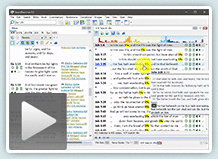
- KJV-TSK: The King James Bible with integrated in-line cross-references from the Treasury of Scripture Knowledge.
- The extremely useful Treasury of Scripture Knowledge (expanded, with over 800,000 cross-references) is now available in an integrated form in this new Bible panel tab.
- Hundreds of thousands of cross-references are now presented in-line from notation in the Bible text. It is no longer necessary to go to a separate commentary panel to use the cross-references.
- Hold your mouse over the notation to preview cross-referenced verses, and click to open them in a verse list panel.
- No commentary text here, just Scripture-with-Scripture!
- In addition to cross-references attached to specific words in the verse, there are general cross-references for verses linked at the end of the verse text, and reciprocal references which link from other verses to the presently viewed text.
- Of course, the TSK commentary module is still included for when you wish to access the supplementary content.
- KJV-TSK verse list display options can be configured in Preferences. (If you are using Module Sets to control your visible tabs, be sure to add the KJV-TSK to your favorites!)
- Webster's Revised Unabridged Dictionary 1913 [Web1913]
- A very complete dictionary from the early 20th century. This digital edition organizes identical headwords under a single entry. Not counting plurals or multiple word forms, there are over 120,000 words defined in over 98,000 entries, with over 48,000 cross-linked entries and over 4,300 linked references to Scripture.
- This does not replace the 1828 Wester's module -- both are included.
New Features:
- Integrated Bar Graph for Bible search result verse lists.
- A time-saving visual indication of the frequency of results across the entire Bible, so you can immediately see where the most matches are.
- Each bar in the graph also functions as a shortcut to the first match in its book.
- Concordance View mode for Bible search results in Verse List Panels:
- This is an optional display mode for Bible search results.
- Displays your search results in a "concordance-style" match-per-line format, optionally including verse widgets.
- All matches are displayed in a single page with no load or scroll lag, even for tens of thousands of matches.
- Each match is shown on its own line, which can help clarify match counts for complex searches with overlapping match points in the same verse.
- There is now a Concordance View Mode toggle button on the Verse List Panel toolbar to let you switch between Full View and Concordance View. You can change the default view mode in Preferences.
- New KJVSL (and SRVSL) layout: Reverse interlinear.
- Displays Strong's links under text, rather than in-line.
- If you wish, you can switch back to in-line mode in Preferences.
- Comprehensive support for high-DPI and 4K+ displays.
- Ultra-crisp text and icons at any resolution, especially on newer high-end computers with super-high resolution displays.
- Complete support for Windows 10 desktop display scaling at any level.
- Multi-monitor systems with different scaling levels per monitor are also supported.
- Assign your own hotkeys to your favorite modules with custom module shortcuts.
- Brings the module to focus with a keyboard shortcut of your choice.
- Selects the module whereever it "makes sense," like module selection menus and search windows.
- The Main Search Bar will now automatically accept keyboard input when appropriate. In most cases you do not need to select the search bar to start typing a verse or search.
Other Improvements:
- KJV module enhancements:
- Hyphenation of compound proper nouns (e.g. Hazezon-tamar) is now included.
- These are not pronunciation marks, but are compound joiners present in Common Cambridge Text printings without pronunciation marks.
- You can still text search either way-- this is a purely visual change to more closely follow printed Bibles.
- This is optional. If you prefer not to see the hyphens, you can disable display of the hyphenation under File, Preferences, Bible and Verse Panels - Additional Options, Optional Hyphenation.
- Marginal notes (footnotes in the Bible panel) have been improved:
- The text of the marginal notes has been conformed to the Common Cambridge Text printings circa 1900; specifically, the circa 1924 Cambridge Cameo editions.
- Footnote placement is now in-line with the attached words.
- As in previous versions of SwordSearcher, footnotes are optional and can be hidden or shown with the Toggle Footnotes toolbar button.
- Bible panel with footnotes and compare mode: if the columns are from the same base module (e.g. KJV and KJV-TSK), the footnote markers are reused in the compare column, and the text in the margin is not duplicated.
- Added configuration option: File, Preferences, Misc. Options, KJV Version Tag for Export.
- Allows you to change the version tag for copy/export functions of the KJV module. Works in conjunction with the "include version tag" option in Edit, Configure Copy/Export Formatting. You can choose from KJV, KJB, and AV.
- Hyphenation of compound proper nouns (e.g. Hazezon-tamar) is now included.
- User module editor window:
- Additional formatting options on the editor toolbar.
- Added Special Characters to the Insert menu, for selecting various non-keyboard characters.
- Improvements to live spell-check.
- Redesigned Insert menu dialogs.
- Redesigned Verse List Panel toolbar for easier/faster access to its features.
- Added Bar Graph toggle and Concordance View toggle (for search results).
- Margin area toggle added to Verse List Panel toolbar, which when invoked, automatically duplicates the margin settings from the main Bible panel.
- Individual margin options can still be toggled.
- Complete re-design of the settings window (File, Preferences and Settings). Settings options are easier to locate and browse, and more logically grouped.
- New Web1828 (Webster 1828 Dictionary) module:
- Single-volume module replaces prior WebsterAJ and WebsterKZ modules.
- Any links to previous volumes are automatically forwarded to new module.
- Various improvements.
- Improvements to Strong's lexicon modules
- Many corrections to definition content and better transliterations.
- Added parts of speech after definition.
- Added shortcut link in heading to search KJV (as well as KJVSL) for the Strong's number. (KJVSL includes Strong's links in the display of the search results, whereas KJV only includes the English.)
- Some corrections to Strong's tagging in KJVSL.
- For non-Bible-search verse lists, a border is drawn between verses that are non-sequential.
- New application-wide module selection drop-down menus make it easier to quickly find and choose modules in search windows, settings windows, etc. These selection menus also support the new user-defined module keyboard shortcuts.
- Added "1:1" and "fill" buttons to Image Viewer.
- Global zoom setting now also applies to the Topic Guide, Verse Guide panel, and Library Search Results module list as well as the main text panels.
- Added a "Share" function to the Bible, Book, Commentary, and Verse List right-click menus. Invokes the Windows sharing tool for the selected text. Windows 10 only.
- Improvements to English Strong's Indexer content.
- Improvements to "best matching" algorithm for dictionary lookups (StudyClick, etc.)
- Improved display of context preview popups make it easier to quickly locate the linked verse.
- Lots of new keyboard shortcuts; see help file for complete list.
- Cosmetic improvements.
- Guard against problems loading modules that have been damaged/corrupted.
- Numerous additional minor improvements and bug fixes throughout.
Version 7.2
Library Additions:
 Williams' Exhaustive Concordance of Bible Numbers [book: jgwNumbers]
Teach Us To Number. Every number mentioned in Scripture, from zero, through fractions, to infinity; all organized in a thorough concordance and easy to reference. By J. G. Williams, Copyright 2012.- James Ussher's Annals of the World [book: juAnnals]
A Bible-honoring history of the world, from the creation of man through 73 AD, organized by year. - F. W. Grant's Bible Notes (commentary from the Numerical Bible) [commentary: FWGrant]
Expository Notes from the Numerical Bible.
New features and improvements:
- Speed improvements:
- Significant speed improvements on main search bar suggestion list population.
- Significant speed improvements to any phrase searches in library (any module type). This extends to any functions that rely on phrase matching (such as some of the StudyClick pop-up hint windows, etc).
- Speed improvements to library search result panel text loads with previews taken from very large entries.
- Book or Commentary quick-search can be aborted.
- Faster loading of panels from global "go to verse" setting, etc.
- Improvements to Commentary panel:
- In-panel expanded view of multiple entries:
- New "expand to chapter" toolbar button in the commentary panel automatically shows all entries from the chapter. This is an easy way to read though commentary text on a whole chapter.
- Manual entry of verse ranges in the commentary panel entry selector is also possible (up to a full chapter can be shown).
- Highlighted module tabs in commentary panel work with expanded multi-view as well, and switching between commentary tabs maintains the current verse range.
- For official (Deluxe Edition Library) commentary modules, multi-entry view is optimized to remove "see comment on, commentary continues on, etc" placeholders.
- Improvements to commentary entry selector and drop-down list scroll position, especially when viewing an empty entry in the commentary panel.
- Commentary entry title list honors custom abbreviations.
- In-panel expanded view of multiple entries:
- Verse reference tag display (and copy/export) improvements:
- "Psalm" is used instead of "Psalms" unless it is a reference to the title of the entire book.
- Reference tags omit chapter number (1) for books with only one chapter (Jude, etc).
- New copy/export formatting options:
- Added Superscript number option to copy/export formatting styles i, j, k, and l.
- Added "All Italics" option to copy/export formatting; forces the entire output to be in italics.
- Additional MP3 audio Bible support and improvements:
- Added support for Hendrickson Scourby DVD and CD audio file names AND verse-level synchronized playback. See help file for details on linking MP3 Bibles in SwordSearcher. You can purchase this MP3 Bible on Amazon or from Hendrickson.
- __MACOSX folder filled with duplicate file names is ignored now. It's no longer necessary to manually remove those superfluous folders before linking the audio files in SwordSearcher.
- (If you have previously linked an MP3 Bible in SwordSearcher you do not need to worry, nothing will change for you.)
- Better choice of scrolling/highlighting method (File, Configure Bible Audio).
- Reading plan/schedule improvements:
- Added option to deactivate a reading plan (removes it from the daily reading schedule but does not delete the plan or progress.) Deactivated plans can be reactivated or rescheduled.
- Added support for importing reading plan template from a plain text file (daily readings per line) (Advanced users.)
- You can create a highly custom plan manually in a text file by putting each day's reading (verse references) on a line.
- This text file can be imported as a SwordSearcher reading plan. Select Devotional, Add New Reading Plan, then click the Import Template from File and change the file type to "Daily Reading Per Line Text Files (*.txt)" and open your file.
- Coverage of the plan will be reported so you can verify that the list of days were correctly interpreted.
- Reading plan templates can be saved as a day-per-line text file.
- A reading plan can now be saved as a template even if it is not a template.
- Additional Preferences and Settings options (File menu):
- Text Display Options, Additional Bible Panel Settings: "Bible column spacing," for users who want less or more white space in the Bible panel.
- Fonts and Colors: "Underline Links" preference option. Un-check this to turn off the underline which is applied to links by default.
- Added count of chapters containing matches to Bible Search Result Info and Stats information list.
- Bible margin edit commentary links show preview (if any).
- Library search result preview shows "edit" link next to title of editable module entries.
- Editor improvements:
- Added strikethrough formatting option.
- Send Link to Editor function restores and focuses the editor.
- Insert Verse Link dialog more flexible with input recognition.
- Insert Link to Entry dialog has better entry selector; works as book and commentary panel entry selectors do.
- Added two additional filtering options in module set editor:
- Show only modules currently in the selected module set
- Show only modules currently not in the selected module set
- Improvements to the verse reference recognition system.
- Searching for "usward, youward" etc in a Bible module will automatically match the intended hyphenated compound words ("us-ward, you-ward," etc.).
- Opening a clone panel with ctrl-click opens the panel at mouse position instead of over "parent" panel when not in auto-dock mode for clone panels.
- Added Verse List right-click menu option to open verse in clone panel.
- Many visual improvements. (Smoother text panel scrolls, loading, some minor style changes, flickering of some list boxes fix, etc.)
- Reduced memory impact of a full-library search.
- Added "edit" to URL protocol. (Advanced users; see help file section on URL Protocol for details.)
Fixes:
- Reading plan manager fixes.
- Fixed small menu lines on high-DPI systems.
- Fixes related to full library search result display updates after user module edits.
- Fixed synchronized MP3 audio playback scrolling not working properly on some systems.
- Fixed design mode editor preventing audio pause/resume with Ctrl+Space.
- Fixed text panel scroll positions not restoring properly at startup.
- Various stability and other minor fixes.
- Minor updates to KJV, KJVSL, SRV, SRVSL, RVG, SGreek, SHebrew, SME, and Easton modules.
Version 7.1
Library Additions:
- The Preacher's Complete Homiletical Commentary [commentary: PHC]
The massive 37-volume commentary by Joseph Exell, William Jones, George Barlow, et. al., filled with illustrative and expository sketches, outlines, and quotes. - James Hastings' Dictionary of the Bible [book: jhDict]
With almost 6,000 entries from various authors, this work is properly considered a single-volume Biblical encyclopedia. - Jonathan Edwards' Notes on Scripture [commentary: Edwards]
Notes from Edwards' private Bible notebooks, arranged as a commentary.
Major New Program Features
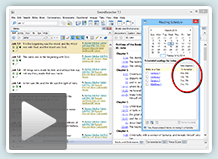 A highly flexible and intelligent Bible Reading Schedule System.
- Access from the Devotional menu or the new Reading Schedule button on the main toolbar.
- The Reading Schedule window provides calendar-based access to your scheduled daily readings and shows estimated reading times.
- The "Create a Reading Plan" window is a step-based reading plan creator for adding reading plans to your schedule. You can have as many reading plans in your schedule as you wish.
- Standard Bible in a Year: this plan is the common Bible in a Year plan with daily readings from the OT and NT.
- Design Custom Plans: Based on how much time you want to spend reading each day (in minutes), or how many days you want the plan to take (or when you want it completed). Unlike other software-based reading plan systems, SwordSearcher doesn't just chop up reading plans by verse count. SwordSearcher's reading plan system intelligently uses the time required to read each verse and chapter to create a more consistent daily reading plan, and when possible, starts daily readings at logical positions in the text instead of merely dividing by verse count.
- The Schedule Manager lets you reschedule plans, rename, delete, print your schedule, print plans, and export templates so you can share your reading plans with others.
- The reading schedule functions of SwordSearcher prominently feature estimated reading times and use them for calculating plans. This is far more useful than dividing readings only by verses or chapters. Also, including the reading time in the calendar makes finding the right time to sit down for your daily readings much easier, since you have a very good idea of exactly how long it will take.
- Falling behind on your schedule doesn't mean giving up! SwordSearcher can instantly reschedule your plans if catching up would be too difficult.
- Passage Analysis Tool.
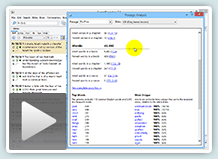 Show various details about a selected portion or portions of the Bible, including:
- Number of books, chapters, and verses.
- Time required to read aloud.
- Details about versification (most chapters, verses; per book, per chapter, etc.)
- Details about word counts (number of words, most/fewest words in a book, a chapter, and a verse, etc.)
- Top word lists with counts, excluding common English words.
- Complete word list, sorted alphabetically or by frequency.
- "Most unique" word list, listing words by how unique they are to the selected Scripture portion(s).
- Open from Search menu "Passage Analysis," or right-click Bible and Verse List panels and select Passage Analysis from the pop-up menu.
- Panel library tabs have new drop-down selection menus. These new drop-down menus make accessing specific library items from the Bible, Book, and Commentary panel tabs significantly faster and easier than before, especially for items that do not have a visible tab.
- User module editor enhancements.
- Added formal Image support. Images can be inserted from files or pasted from the clipboard, and image files are automatically saved with the user module. It is no longer necessary to manage image files manually or add images with custom code editing.
- Added formal Table support. Inserting a table can be done automatically from the Insert menu or the Insert Table toolbar icon in the editor. Right-click a table to insert or merge rows, columns, and cells.
- Added Style and Format Cleaner. Provides an options-based means of removing most formatting from the entry. Designed primarily for cleaning up text that has been pasted in from other sources which may contain inconsistent or undesirable formatting.
- Redesigned "Configure Copy/Export Formatting" window (Edit menu) is easier to use and gives more options for how verses are formatted for clipboard copy and printing.
- Advanced User Module Maintenance window.
- Selected from the User menu, this is a control panel for advanced users to perform tasks on their personal modules, such as exporting, rebuilding, and zipping (for sharing). Also includes additional Assets support tasks for updating older modules with image links to use the new formal image support.
- Most users will not need to use this window.
Other Improvements and Features
- Additional StudyClick options for CTRL+Click on a verse reference. (See File, Preferences, StudyClick Options)
- Improved Bible panel book and chapter selection drop-down menus.
- The entry selector drop-down menus for Books and Commentaries can be re-sized and sizes are remembered.
- Added additional paragraph mode option, under File, Preferences, Text Display Options, Additional Bible Panel Settings: "Newline Every Verse in Paragraph Mode." This option modifies paragraph mode so that each verse appears on a new line, while retaining the other minimalist display options of paragraph mode.
- Improvements to phrase suggestion in main search bar.
- Improvements to user module entry editor find/find next dialog.
- The Compare Version selection menu has been replaced with a selection list (faster/easier).
- User menu items for renaming, printing, and deleting user modules have been replaced with selection lists (faster/easier).
- Added Alt+Left and Alt+Right keyboard shortcuts for focused panel: navigates back/forward through the history list.
- When a span of verses has been selected with the mouse in the Bible and Verse List panels, the right-click "Copy Verse" function, the F5 Copy Verses function, and other pop-up menu items, automatically use the selected range of verses, rather than only the first or clicked verse.
- Added "read-aloud time" information to the Search Result Information and Statistics window for search results.
- Library search results can be right-clicked to copy a list of matching entries from the module.
- Better tab-switching logic when closing tabs in panels.
- Fixed disappearing Book or Commentary panel text when restoring from minimized state under certain rare circumstances.
- Fixes relating to high-DPI displays and zooming.
- Improvements relating to touch and pen input and tablet use.
- New pre-set layout style: Single Panel View. Designed for small displays, this layout is an "all panels tabbed" mode.
- Updated Nave's Topical Bible module with improved formatting and restored some missing text.
- Numerous other minor improvements and fixes.
Version 7.0
Library Additions:
- McClintock & Strong Cyclopedia [book: masCyc]
Over 49,000 entries on Biblical, Theological, and Ecclesiastical topics, literature, people, and places. - Park Street and Metropolitan Tabernacle Pulpit [book: chsSermons]
Complete collection of over 3,500 of C. H. Spurgeon's sermons (63 volumes in print). (Replaces the SpSm module from previous versions, which was a collection of 700 sermons.) - Richard Watson's Biblical and Theological Dictionary [book: Watson]
- John Trapp's Commentary on the Old and New Testaments [commentary: Trapp]
Program:
- New more powerful and "unified" Go To Verse and Search Toolbar:
- A single starting point for going to a verse or doing a Bible search is easier to use than the previous separated system.
- Automatically provides search suggestions with spelling corrections and matching verse count as you type.
- Automatically suggests possible phrases from the Bible you might be looking for as you type.
- Can also be used to open a Topic guide, verse list, Find Related Verses, or locate library modules by title.
- Search suggestion (when you misspell a word) now also works for phrases.
- (For users who do not wish to have the search suggestions appear while they type, this option can be disabled in File, Preferences, Misc. Options.)
- New "Bible Word Clouds Generator" tool:
- The Bible Word Cloud Generator is a scripture visualization tool that can show you at a glance what words are emphasized in a portion of Scripture, making word associations that might not be obvious easy to see. It's a great study tool that is very easy to use.
- The word cloud generator shows words weighted (size and color intensity) based on their relative frequency. That is, words used more often in the passage will be bigger and more intense than the others.
- Holding your mouse pointer over a word will show its word count, first use, and last use in the passage. Click a word to show all of the verses from the passage with the word in a verse list.
- Fully interactive and customizable, with common word exclusions, support for temporary word removal, and support for automatically combining multiple word forms.
- You can create Bible word clouds from any portion of Scripture you want. Several sections are pre-configured, and you can instantly generate a word cloud from the current Bible panel chapter with the Generate Bible Word Cloud toolbar button on the Bible panel.
- More fascinating Scripture word associations can be found by using the Bible Word Cloud generator from Bible search results in a Verse List panel.
- This new Generator should not be confused with the Word Clouds book module (part of the Deluxe library). The book module is a stylized, fixed set of word clouds, while the Generator can create word clouds on-the-fly for any portion of Scripture you want, and allows customization.
- New Module Sets system makes it easier to manage your library to create groups of the library modules you care about:
- Module sets are user-configurable collections of library items (Bibles, Books, Commentaries).
- User can create as many different Module Sets as desired with an easy-to-use selection screen.
- Can be used to control and change visible tabs.
- Can be used to control and change Bible margin links.
- Can be used to limit the Full Library Search to a collection of library modules.
- Select Configure Module Sets on the User menu. Also, right-clicking a library tab provides an option to choose which Module Sets it is included in.
- Replaces the old "Reference Sets" system. If you are upgrading, your reference sets will be automatically imported as Module Sets.
- The Verse Guide panel and the Topic Guide have been improved:
- More intelligent grouping of titles.
- Better grouping of commentaries in lists showing a range of verses.
- Multiple colors used to make it easier to quickly distinguish between entry titles and module titles, etc.
- More intelligent entry and module title sorting.
- Verse Guide panel sort mode is easier to change with the new settings button on the Verse Guide panel status bar.
- The Visible Library Tabs and Bible Margin Links sections of File, Preferences have significantly improved module selection lists, which allow keyboard title filtering and can be sorted by abbreviation or full module title.
- Added custom module file locations configuration option:
- Select File, Preferences, Module File Locations.
- Can add additional file paths for SwordSearcher to locate modules on startup.
- Can change default user module file location; move highlighter data file, etc.
- When multiple writable module file locations are defined, creating a new user book or commentary also allows selection of file location.
- Works well with SkyDrive to sync module files across multiple computers. See help file for details.
- Custom Bible book abbreviation support (File, Preferences, Bible Book Abbreviations).
- More intelligent book module tab highlighting for matching entry titles. For example, "Abelmizraim" in one dictionary and "ABEL-MISRAIM" in another are understood to be the same, so the module tabs are shown highlighted, and switching from one dictionary to the other automatically goes to the correct entry.
- Ability to add multiple new empty entries to a user book all at one time from a list.
- File, Preferences can be saved to portable files. Also, an automatic settings backup system retains settings changes from several days of usage, in case the user accidentally deletes something important like a Module Set.
- Added more verse export styles and options.
- Additional audio Bible file set support (mp3 file sets from Bible.is can now be used without any renaming).
- Added "hide paragraph markers" option in File, Preferences, Text Display Options to hide Bible panel pilcrows.
- Added Verse List Panel right-click menu function "Consolidate Verses:" if the verse list contains duplicate or out-of-order verses, this function allows the user to place all verses in canon-order and remove duplicates.
- Improved icons and "look" for SwordSearcher 7.
- Native 64-bit executable (automatically installed on 64-bit systems). 32-bit is still supported as well.
- Numerous additional improvements throughout SwordSearcher.
Version 6.2
Library Additions:
- The Biblical Illustrator [commentary: BibIllus] (56 volume commentary compiled by J. Exell.)
- James Gray's Concise Bible Commentary [commentary: Gray]
- Essential Works of Lewis Sperry Chafer [book: LSChafer]
- The Kingdom in History and Prophecy
- Salvation: A Clear Doctrinal Analysis
- He that is Spiritual
- True Evangelism: Winning Souls by Prayer
- Satan: His Motive and Methods
- Grace: The Glorious Theme
- Major Bible Themes
- The Ephesian Letter Doctrinally Considered
- The Crowns of the Lord Jesus Christ
- Figures of Speech Used in the Bible [book: FigSpeech] (E.W. Bullinger)
- Spanish Reina-Valera with Strong's Links [Bible: SRVSL]
Library Updates:
- Improved Spanish Reina-Valera [SRV] versification issues and added italics for translator-supplied words.
Program:
- New! StudyClick™
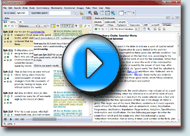 SwordSearcher's new StudyClick system makes it even faster to do searches and lookups while you are reading text. Just hold down the CTRL key while you move the mouse over words in the Bible, Book, or Commentary panels, and instantly the word under the mouse pointer becomes a link. Click the link to do a search, look up the word in a dictionary, or other actions.
- Default options:
- As you hold down CTRL and move the mouse pointer over words, a pre-view pop-up shows the first and last occurrence in the Bible for the word. Clicking the word performs a normal Bible word search.
- If you hold down CTRL and ALT at the same time, you can click the word to open the Topic Guide for the word.
- You can choose what happens when you use StudyClick in File, Preferences, StudyClick Options. Options include favorite dictionary lookups, full library search, and more.
- Choose a secondary action if you hold CTRL and ALT at the same time.
- Choose what happens when you CTRL+click a verse link.
- Default options:
- New and Enhanced: "Drag and Drop" support:
You can "drag" text into SwordSearcher from other applications (and from within SwordSearcher itself) and "drop" it into controls to perform certain actions in SwordSearcher.
- Go To Verse box: Dropping text here will open the first recognizable verse reference from the dropped text.
- Quick Bible Search box: Dropping text here will perform a quick Bible search for the dropped text.
- Commentary entry selector: Dropping text here will go to the first recognizable verse from the dropped text.
- For the Copy Verses, Print Verses, Export Verses to File, and Display Verses dialogs: Dropping text in the edit box will automatically parse all recognizable verses from the dropped text and enter them into the box.
- Dragging text to one of the search buttons on the main toolbar (Bible, Library, Topic Guide, ESI, and Scan Text buttons) will open the associated window and pre-fill with the dropped text.
- Dragging text into the Find Related Verses text entry box will perform the search on all recognizable verses in the dropped text.
- Added "Optical Zoom" support in text panels.
- There is now a Zoom setting on the bottom-left of the main window to control zooming in all text panels.
- Holding down CTRL while rolling the mouse wheel over a panel temporarily zooms in and out on the text.
- Zoom can also be selected on the main View menu and replaces the old "Increase/Decrease font sizes" feature.
- Ctrl+Alt+0 (zero) resets all zoom levels to 100%.
- Enhanced touch-based input support for touch monitors and Windows 7 Tablet/Slate PCs.
- User interface options added to improve appearance and control size for touch input and visual impairment. (File, Preferences, Misc. Options, Enhancements for Touch Input and Visual Impairment.)
- Layout improvements:
- Several improvements to main toolbar layout when resizing the main window and restoring previous toolbar configurations.
- Added option "Include main window and toolbar positions in custom layouts" (File, Preferences, Layout Options.) On by default. Includes the location and size of the main window and main toolbar configuration in custom layouts. (This option will affect the next save of your custom layout, not previously-saved layouts.) This is especially handy when using complex "undocked" layouts.
- Improved mouse text selection in the Bible panel so that margin content no longer appears highlighted as verse text is selected.
- Improved support for high-DPI settings in Windows.
- Added "Table of Contents Tool" shortcut to the Book panel right-click popup menu. Opens the Table of Contents tool and scrolls to the current entry from the book panel. This is useful as an alternative to using the Book panel entry selector.
- Added selectable user preference to for Verse Widget size (File, Preferences, Verse Widgets, Widget Size).
- New main program icon.
- Various other fixes, optimizations, and improvements.
Version 6.1
Library Additions:
- Thomas Coke's Bible Commentary [commentary: Coke] (Deluxe only)
- Wright's Bible Word-Book [book: Wright] (Deluxe only)
- Outlines of the Books of the Bible [book: OutlinesBB] (Deluxe only)
- Word Clouds [book: WdClds] (Deluxe only)
- Companion Bible Notes [commentary: CBN] (E. W. Bullinger) (Deluxe only)
- Companion Bible Appendixes [book: CBApx] (E. W. Bullinger) (Deluxe only)
Library Module Updates:
- Expanded Treasury of Scripture Knowledge [TSK]
- King James Bible Companion updated to 2010 edition [KJBC]
- Added Chinese Union Translation Simplified to Foreign Language Bible Pack.
- Various minor corrections to other modules.
Program:
- New! Bible Audio support.
- Support for verse-level, synchronized scrolling, and verse-list playback of AMG Publishers' Alexander Scourby Narration of the KJV.
- Support for chapter playback of other MP3 audio Bible sources, including Max McLean's Listener Bible, Stephen Johnston's narration from Firefighters.org, and any other MP3 Bible set with a supported file structure.
- See File, Configure Bible Audio to link audio files to SwordSearcher.
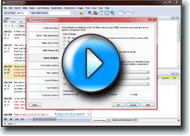 New! Verse Widgets. (See video.) Verse widgets are user-configurable icons which appear below the verse reference tag in the Bible panel. Choose which ones appear in File, Preferences, Verse Widgets. The following widgets are available:
- Active Verse & Sync. Works like double-clicking the verse tag (performs Go To Verse options).
- Topic and Verse Guide.
- Find Related Verses.
- Copy Verse.
- Play Bible Audio. Same as option in Configure Bible Audio but included here for intuitive completeness.
- Favorite Commentaries. You can select up to three commentary widgets to include. These work like Bible margin links, except that they always show even if the commentary is empty (in which case the icon is faded). Also, clicking a widget on a user-editable commentary that is empty opens the editor, and finally, shift-clicking opens the editor as well.
- Added Ctrl+Click behavior for verse links in book and commentary panels. Ctrl+Clicking opens the reference in a cloned Bible panel.
- Additional Reference Pattern Search options added.
- The Load All Referenced Verses function of the Book and Commentary panels now loads the verse list in the order they are referenced (instead of chronological Bible order.)
- Module Selector Tool improvements:
- Items on the list indicate if they have visible tabs and if they are user-editable.
- Improved behavior of item selection when filtering the list with keyboard input.
- Shift-Clicking an item on the list toggles visibility of the module tab in its panel (Bible, Book, Commentary).
- Added right-click menus for items on the list for various module-related actions, including deleting/renaming user-created modules.
- Added "Select User Module" item to User menu, which opens the Module Selector filtered for only user-editable modules.
- User editor improvements:
- Added range option to the Insert Link to Bible Search function.
- Editor File menu item "Book Exclusions" re-named to "Configure Verse Reference Recognition."
- Added option to disable Roman numeral chapter recognition for verse linking under Configure Verse Reference Recognition.
- Improvements to verse reference recognition.
- Added Show Strong's Numbers as Lexicon Words option to File, Preferences, Text Display Options. Leaving this item checked (default) shows Strong's links in the KJVSL as Strong's lexicon words, as previous versions of SwordSearcher always have. You can un-check this option to make the links show as Strong's numbers.
- Book and Commentary tabs now show a "pen" icon next to the module abbreviation for user-editable modules. This can be disabled in File, Preferences, Library Tab Appearance.
- Added option: File, Preferences, Bible Margin Links, Use bold type for user-editable module links in the Bible margin.
- Added additional user-configurable options for colors in File > Preferences > Fonts and Colors.
- Full Library Search window remembers the last-used Reference Set between sessions.
- Improved speed of adding and renaming entries in user-created books.
- User modules whose files are marked "read only" in Windows will no longer be editable in SwordSearcher.
- Workaround for bug in Internet Explorer 9 Beta and certain video drivers which could cause a crash in SwordSearcher.
- Workaround for some virus scanners intermittently causing SwordSearcher to crash after saving edits to user modules.
- Fixed: some extremely long verse references in the Scan Text for Verse References Tool could cause a crash.
- Fixed: certain Bible searches with long lists of alternations could cause a crash.
- Lots of other small fixes and improvements.
Keyboard and mouse commands:
- Ctrl+Click a verse reference in the Book and Commentary panels to open the reference in a new cloned Bible panel.
- Pause or Ctrl+Space: pause/resume Bible audio playback.
- Ctrl+M: Opens Module Selector Tool for all module types.
- Ctrl+H in Bible panel: applies default highlighting to selected text.
Version 6.0
 Library Additions:
- An Interpretation of the English Bible by B. H. Carroll. [CarrollIEB] book module.
- Expositions of Holy Scripture by Alexander MacLaren. [MacLaren] commentary module.
- Foreign Language Bible Pack.
Library Module Updates:
- TR (Textus Receptus) module now includes Ben Chayyim Hebrew Old Testament text. New Testament text is Scrivener Greek New Testament with Stephens variants indicated in footnotes.
- Strong's Lexicon text presentation improved, especially Hebrew. Vowel points restored to Hebrew definitions. Definitions now use pure Unicode text, which enables copying to clipboard without regard for font availability in other applications.
Program:
- Bible Highlighting and Underlining:
- The Bible panel now supports user markup: highlighting and underlining.
- A variety of marker colors are available for both highlighting and underlining.
- To highlight or underline text, mark it with the mouse (as if you were going to copy a selection), then use the marker tool button on the Bible panel toolbar, or the "Highlighting and Underlining" right-click menu option.
- Markup can be easily cleared from a selection, verse, or chapter.
- Markup display and functions can be disabled by disabling the "Allow User Highlighting and Underlining" option on the Bible menu.
- Bible > Show Verses with User Highlighting or Underlining allows the user to easily see all verses that have user markup.
- Markup data is stored in the user Documents\SwordSearcher User Modules folder for easy backup.
- Search Bible dialog functions (Search > Search Bible or F2):
- New search methods:
- Proximity search: allows searching for words appearing within a certain number of verses, or within the same chapter.
- Character String search: allows searching for an exact sequence of characters, including spacing and punctuation. This is different from normal phrase searching because it includes punctuation and spacing, while normal phrase searching does not.
- Regular Expression search: allows users familiar with RegEx to perform RegEx searches. (This is an advanced user feature.)
- Added "Words of Christ only" option to Search Bible dialog options to allow for additional searching methods in red-letter words (supporting modules only).
- KJVSL phrase searches now support Strong's number placement matching in the phrase.
- Consonant search option added for Bible modules with Hebrew text.
- "Use Word List" button text changed to "View Word List." View Word List performance improvements.
- New search methods:
- Search Results (Verse List) "Statistics and information" added: blue "i" icon on Verse List tool bar after a Bible search:
- Gives search match details, included matched terms and counts.
- "Result map" gives a list of shortcuts to first matches in each book.
- Several bar graphs showing match frequencies in books and match frequency relative to book verse count and word count.
- New Find Related Verses search:
- An easy way to find other verses in Scripture which contain words from a specified verse or passage.
- Right-click a verse in the Bible panel or Verse List and select "Find related verses." Or, select "Find Related Verses" from the Search menu.
- Words from the verse or passage are shown in a list, ordered by least-common words first.
- Check the boxes next to the words you are interested in to do a search. The dialog immediately updates with information about your search with every change or selection you make. Supports different search methods, including all word forms of the selected words.
- Verse List right-click menu "Find Related Verses for Entire Verse List" loads the dialog with all words from the verses in the Verse List.
- New Reference Pattern search (Search > Reference Pattern Search)
- Allows examination of verses with references matching various "patterns," such as "every 10th verse" in the entire Bible, or a book, or passage.
- Layout and Docking:
- Added support for multiple custom layouts. User layouts can be saved and restored easily. The View menu and layout toolbar button now have options for saving or deleting custom layouts. Restore Layout function enhanced to support custom layouts.
- Significant performance enhancements; updates to changes in layout are much faster in many circumstances.
- (Note: SwordSearcher 6.0 uses a new layout storage system. If you are upgrading from an older version, the first time you run 6.0, layout will default to Bible on Left. This will only happen once.)
- Clone Panels:
- Bible, Book, and Commentary panels can be "cloned." (Bible, Book, or Commentary menus, or right-click pop-up menus in panels.)
- When a panel is "cloned," the content of the panel is copied to a new panel and then never changes to a different entry/chapter. This makes it very easy to "hold your place" in a study while still being able to follow links in the various study panels, and is a great convenience when doing complicated studies. Users with multiple monitors will find this extremely handy and productive.
- A cloned panel is docked to the search results area by default. However, this can be changed so that cloned panels are created "floating" rather than docked (File > Preferences > Layout Options).
- Added preference option for pop-up verse preview Bible module (File > Preferences > Misc. Options). This allows the user to specify a module that will be used for Bible pop-ups regardless of the active module in the Bible panel.
- Added preference option for Bible text italicization display (File > Preferences > Text Display Options). Allows the user to substitute italicization in Bible text with brackets or normal text.
- Added preference option for Bible margin text size (File > Preferences > Fonts and Colors > Margin Font Size). This is a proportional setting, which means that you can select the size of the margin font relative to the Bible text font size.
- Added preference option for Treeviews and Module Selector Tool font (File > Preferences > Fonts and Colors > Set Individual Panel Properties). This controls the font used in the Topic and Verse guides, the Module selector tool, and other "treeview" lists.
- Improvements
- Numerous usability enhancements throughout the program.
- Active verse in Bible panel is indicated with a different background color, which can be configured or disabled in File > Preferences > Fonts and Colors.
- Strong's number search results for KJVSL highlight English text preceding the Strong's link.
- Strong's number search results for KJV highlight the English text for the Strong's number without showing the Strong's link.
- Significant speed improvements for certain kinds of phrase and wildcard searches.
- Scripture reference recognition:
- Added "Pss" as recognized reference to Psalms. Added "Sol" as recognized reference to Song of Solomon.
- Speed improvements when parsing large amounts of text in the user Editor or Scan Text for Verse References tool.
- Go To Verse box, and other text entry boxes which expect verse references, now recognize single-letter abbreviations for books. For example, M = Matthew, G = Galatians, etc. (Single-letter matching starts in the NT, and matches the first book with the starting letter. The OT is searched only of no match is found in the NT.)
- Significantly enhanced entry selectors for Book and Commentary panels:
- Speed and visual improvements.
- As letters are typed in the selector text area, the list is automatically updated with suggested matching entries.
- Topic Guide entry matching improved.
- English-Strongs Indexer text output enhanced.
- Improved text rendering in all text display panels. Higher-quality text display and faster formatting.
- Copy/Print/Export verses dialogs load with currently active verse pre-entered.
- Highlighted verse matches in the Book and Commentary panels (such as appear when clicking an item in the Verse Guide) can by cycled through with + and - keys.
- Preview text pop-up for book and commentary entries improved.
- Go To Verse box now supports verse number entry in the form of #VERSE. Example: "#1" = Genesis 1:1, and "#31102" = Revelation 22:21. (Without quotes.)
- Additional options added to Edit > Configure Copy/Export Formatting.
- When saving an entry from the user editor, the Book or Commentary panel is no longer "forced" to the edited entry.
- Performing a successful search with the Quick Bible Search box updates the Search Bible - Normal Search text entry field and drop-down list with the search text.
- Full Unicode text support throughout the program.
- Keyboard shortcut changes:
- Decrement/Increment active verse: Alt+Up/Dn (was Ctrl+Up/Dn).
- Decrement/Increment active chapter: Alt+PageUp/PageDown (was Ctrl+PageUp/PageDn).
- User editor improvements:
- Improved HTML and CSS support.
- New {ssimagestorepath} variable for advanced users in the code editor allows non-hard-coded links to images in the SwordSearcher image store for in-line image display. Example: <img src="{ssimagestorepath}\Maps\Kingdom of Saul.png" width="90%"/>
- Various bug fixes
Older Versions
If you are still using a version older than 6.0, please see A Brief History of SwordSearcher Bible Software for more information on how SwordSearcher has changed.
